Elicit is your trusted digital
partner, building AI-first
solutions that drive innovation, efficiency, and growth. We
help brands innovate faster through scalable intelligence.
Office Plot No. 345, 346,
Floor : 3 Scheme 54 PU4, Indore, Madhya Pradesh 452010
sales@elicit.digital
+919111555876
Elicit Digital is a leading custom software and app development company that offers its services to global clients including India, USA, UK, UAE, and Australia! We're a team of dedicated professionals, IT experts and next-gen strategists committed to offering smart code and smarter solutions.
With proven expertise in custom software development, mobile app solutions, and web app development, we deliver products that are tailored to your goals from concept to creation.

Years in the business
Solutions Delivered
Technology experts
Raised by our clients
As your dedicated digital partner, Elicit Digital delivers a comprehensive suite of services to global clients.
With a keen focus on innovation, scalability, and performance, Elicit Digital provides advanced software solutions shaping tomorrow's digital experiences. We design and develop custom software, mobile apps, and web platforms that keep businesses ahead of change and drive real growth.
Our strength lies in association. We associate closely with clients to understand their vision, challenges, and goals, then deliver technology that solves problems and creates measurable impact too.
See what our clients have to say about their experiences and the value we’ve delivered to them.
"🌟 Our project was completed on time with outstanding quality. A big thank you to Elicit for their dedication and professionalism. 👏 "
"Well done on completing the mobile app and admin dashboard – great work! 👏🚀"
"🎉Our new iOS app is now live! A huge congratulations and thank you to everyone for your incredible effort in making this happen. 🙌 Thanks Elicit"


Get inspired with fresh perspectives, expert insights, and innovation-led updates from Elicit Digital.

The UAE real estate market has long been one of the world's most attractive property investment destinations.
From luxury developments in Dubai and waterfront communities in Abu Dhabi to rapidly growing investment opportunities in Sharjah and Ras Al Khaimah, the market continues to attract buyers, investors, and businesses from around the globe.
Yet while demand remains strong, one thing has changed dramatically over the past few years:
The way buyers discover and evaluate properties.
Today's buyers don't start with a phone call.
They start with Google.
They compare communities, research developers, read reviews, watch property videos, browse social media, and increasingly ask AI-powered search tools for recommendations before ever contacting a sales team.
This shift has transformed how real estate businesses generate leads and close deals.
Traditional advertising still plays a role, but it is no longer enough on its own.
To remain competitive, developers, brokers, and property consultants must embrace a modern marketing strategy built around visibility, trust, and measurable lead generation.
This is where a professional digital marketing agency in India can become a valuable growth partner for UAE real estate businesses looking to scale efficiently.
At Elicit Digital, we've seen how combining search visibility, content marketing, local SEO, and performance marketing helps real estate brands generate qualified leads while reducing dependency on expensive property portals and traditional advertising channels.
A decade ago, most real estate transactions followed a predictable path.
A prospective buyer might see a newspaper advertisement, speak with a broker, visit a property, and make a purchase decision.
Today, the buyer journey is significantly more complex.
A modern property buyer may:
Search for off-plan projects in Dubai
Compare multiple communities
Watch YouTube property tours
Read Google reviews
Explore developer websites
Use AI search tools to compare investment opportunities
Review social media content
Submit inquiries after weeks of research
This means real estate brands must be visible at every stage of the decision-making process.
Businesses that consistently appear during these searches gain a significant competitive advantage.
Modern digital marketing services are no longer limited to social media management.
For real estate businesses, digital marketing creates a complete ecosystem that helps:
Generate qualified inquiries
Increase website traffic
Improve project visibility
Build trust and credibility
Reduce customer acquisition costs
Improve lead quality
Strengthen long-term search visibility
Most importantly, digital marketing provides something traditional advertising often cannot:
Measurable results.
Every click, inquiry, form submission, WhatsApp conversation, and conversion can be tracked and optimized.
This allows developers and agencies to make data-driven decisions rather than relying on assumptions.
For many years, real estate businesses relied heavily on newspaper advertisements, billboards, brochures, and offline promotions to attract buyers. While these methods still have value in certain situations, they often provide limited visibility into campaign performance and buyer behavior.
Digital marketing offers a more measurable and data-driven approach.
Unlike traditional marketing, where tracking the exact return on investment can be difficult, digital campaigns provide clear insights into how potential buyers interact with your brand. Businesses can monitor website visits, lead sources, inquiry forms, WhatsApp conversations, and conversion rates in real time.
Another major advantage is audience targeting. Traditional advertising typically reaches a broad audience, many of whom may have no interest in buying property. Digital marketing allows developers and agencies to target specific demographics, locations, interests, and buyer intent signals, ensuring marketing budgets are spent more efficiently.
Digital campaigns also offer greater flexibility. Strategies can be adjusted based on performance data, helping businesses optimize campaigns, improve lead quality, and maximize return on investment. Whether targeting investors in Dubai, families in Abu Dhabi, homebuyers in Sharjah, or emerging opportunities in Ras Al Khaimah, digital marketing enables precise and scalable outreach.
Perhaps the biggest advantage is visibility. Real estate businesses can clearly identify what is working, what is not, and where new opportunities exist. This level of insight allows for continuous improvement and smarter decision-making, something that traditional marketing channels often struggle to provide.
In today's competitive UAE real estate market, the ability to track performance, understand buyer behavior, and optimize campaigns in real time makes digital marketing a powerful growth driver for developers, brokers, and property agencies alike.
One of the biggest challenges in real estate marketing is generating leads that are actually interested in buying.
This is where performance marketing delivers significant value.
Unlike awareness campaigns that focus primarily on reach and impressions, performance marketing focuses on measurable actions.
Examples include:
Property inquiries
WhatsApp conversations
Site visit bookings
Lead generation
Consultation requests
Performance campaigns allow developers and agencies to connect with buyers who are already searching for:
Luxury apartments in Dubai
Villas for sale in Abu Dhabi
Off-plan investment opportunities
Family communities in Sharjah
Waterfront residences in Ras Al Khaimah
Because these buyers already demonstrate intent, conversion opportunities become significantly stronger.
Search behavior is evolving rapidly.
Ranking on Google remains important, but modern visibility requires a broader strategy.
SEO focuses on improving rankings for valuable search terms such as:
Dubai property investment opportunities
Luxury apartments in Downtown Dubai
Villas in Abu Dhabi
Family homes in Sharjah
Search engines increasingly provide direct answers to user questions.
AEO helps content appear in:
Featured snippets
People Also Ask sections
Voice search responses
Search summaries
AI-powered search experiences are changing how information is discovered.
GEO focuses on ensuring content appears in AI-generated responses and conversational search experiences.
Modern real estate businesses must invest in SEO AEO GEO strategies to maintain visibility as search technology continues to evolve.
Location is everything in real estate.
Buyers rarely search for generic property terms.
Instead, they search using community-specific phrases such as:
Apartments in Dubai Marina
Villas near Yas Island
Family communities in Sharjah
Waterfront homes in Ras Al Khaimah
This is why affordable local SEO services have become so valuable.
Strong local optimization helps businesses appear in:
Google Maps
Local search results
Mobile searches
Community-specific queries
For smaller agencies, local SEO services for small businesses can provide an opportunity to compete with larger brands by targeting highly specific markets.
One of the most common mistakes real estate businesses make is treating the UAE as a single market.
Each emirate has unique buyer behavior.
Buyers typically focus on:
Luxury properties
Investment opportunities
Off-plan developments
Short-term rental potential
Digital campaigns should emphasize ROI, lifestyle, and investment growth.
Demand is often driven by:
Family housing
Long-term residency
Premium communities
Lifestyle-focused developments
Marketing should focus on stability, quality of life, and community benefits.
Buyers tend to be:
Value-conscious
Family-oriented
Looking for affordable ownership opportunities
Affordability and family-focused messaging work particularly well.
Interest is growing because of:
Tourism development
Branded residences
Investment opportunities
Waterfront communities
Campaigns should emphasize future growth potential and investment opportunities.
A Dubai-based developer relied heavily on property portals and traditional advertising.
While visibility was strong, direct website inquiries remained inconsistent.
The marketing strategy was rebuilt around:
Google Search campaigns
Meta lead generation campaigns
Location-specific landing pages
CRM integration
Conversion tracking
Within a few months, lead quality improved significantly.
More importantly, buyers arriving through search campaigns demonstrated stronger purchase intent because they were actively researching specific communities and projects.
This reduced dependency on third-party platforms and improved overall lead quality.
An independent agency in Abu Dhabi struggled to compete against larger competitors in search results.
The agency implemented:
Community-specific landing pages
Google Business Profile optimization
Review generation campaigns
Localized content marketing
Search-focused website improvements
The result was increased visibility for searches related to Yas Island, Saadiyat Island, and family-oriented communities.
More importantly, inquiries became more qualified because buyers discovered the business through location-specific searches rather than generic property terms.
The next phase of real estate marketing will be heavily influenced by AI-powered discovery.
Buyers are increasingly asking conversational questions such as:
Which Dubai community offers the best rental yields?
Is Abu Dhabi a better long-term investment than Dubai?
What are the best waterfront properties in Ras Al Khaimah?
Businesses that optimize for traditional search alone may struggle to remain visible.
Those that embrace AI-driven search optimization, content authority, and GEO strategies will be better positioned for future growth.
Digital marketing helps real estate businesses attract qualified buyers through search engines, social media platforms, and performance-based campaigns while providing measurable results.
Performance marketing focuses on measurable actions such as property inquiries, lead generation, WhatsApp conversations, and site visit bookings.
SEO improves visibility for location-specific searches, helping businesses attract buyers actively looking for properties in targeted communities.
SEO improves traditional rankings, AEO improves visibility in answer engines, and GEO helps businesses appear in AI-generated search experiences.
Yes. Local SEO helps agencies rank for community-specific searches and improve visibility in Google Maps and local search results.
Many businesses partner with a digital marketing company in India because of access to experienced specialists, scalable resources, and cost-effective execution.
Most campaigns begin showing measurable improvements within three to six months, depending on competition and market conditions.
The UAE real estate market continues to evolve, and so do buyer expectations.
Businesses that invest in digital visibility, search optimization, local SEO, and performance marketing will be better positioned to attract qualified buyers and investors.
The goal is no longer simply to advertise properties.
The goal is to become the trusted source buyers discover throughout their research journey.
Partner with Elicit Digital to grow your real estate business through Performance Marketing, SEO + AEO + GEO, Local SEO, and Conversion-Focused Digital Marketing Strategies.

Most businesses don't struggle because they lack leads.
They struggle because they lack connected systems.
A lead submits a form.
The CRM updates.
A notification gets sent.
A sales call gets scheduled.
A follow-up email is triggered.
On paper, everything appears connected.
In reality, many businesses still rely on manual coordination between these processes.
Sales teams update records manually.
Marketing teams work from different data.
Customer conversations become fragmented.
Follow-ups get delayed.
Reporting becomes unreliable.
And opportunities quietly slip through the cracks.
This is why CRM integration has become one of the most important topics in modern business operations.
Because a CRM should not simply store customer information.
It should connect the entire customer journey.
That is exactly where a strong ghl crm integration strategy creates value.
Many businesses invest in CRM software expecting immediate operational improvements.
The platform gets implemented.
Contacts are imported.
Pipelines are created.
Automations are added.
Yet operational friction continues.
The reason is simple.
A CRM alone does not create connected processes.
The value comes from how well every component of the customer journey works together.
Common disconnects often occur between:
When these systems operate independently, teams spend more time managing data than managing opportunities.
A modern CRM strategy goes beyond contact management.
It connects every customer interaction into one operational system.
A properly designed integration strategy typically includes:
Website forms, landing pages, funnels, and inbound inquiries automatically create CRM records.
Contacts are assigned to the right team members without manual intervention.
Email, SMS, and follow-up workflows are triggered automatically.
Meeting requests flow directly into CRM workflows.
Conversations are connected to customer records.
Opportunities move automatically through defined sales stages.
Every customer interaction becomes measurable.
When these elements work together, businesses gain much greater operational control.
One of the biggest causes of lost revenue is disconnected customer journeys.
Imagine a prospect submits a form through a landing page.
The inquiry reaches the CRM.
But the sales notification is delayed.
The appointment isn't scheduled.
The follow-up sequence never starts.
The lead goes cold.
This scenario happens more often than many businesses realize.
Strong ghl crm integration helps ensure every customer action triggers the next logical step automatically.
The goal is not simply automation.
The goal is continuity.
Because customers experience your business as one journey, not separate software systems.
One reason businesses increasingly adopt GoHighLevel is that the platform combines multiple operational functions inside one environment.
Instead of managing separate systems for:
Businesses can centralize customer operations.
This allows HighLevel's Marketing Automation capabilities to connect customer actions more effectively.
A lead can move from inquiry to appointment to opportunity without requiring multiple manual updates.
That creates both operational efficiency and better customer experiences.
Many businesses underestimate how much manual work slows growth.
Examples include:
Each task may seem small.
Collectively, they create significant operational friction.
More importantly, they increase the likelihood of human error.
This is where GoHighLevel marketing automation creates measurable value.
By automating repetitive actions, teams can focus on customer relationships rather than administrative work.
One of the biggest benefits of connected CRM infrastructure is visibility.
Sales teams perform better when they have access to:
Without this visibility, conversations become reactive.
With proper CRM integration, conversations become informed and proactive.
This often leads to:
A CRM integration strategy is only as effective as the workflows supporting it.
This is where GHL workflow automation becomes essential.
Workflow automation can connect:
The result is a system where customer actions automatically trigger business actions.
That consistency becomes increasingly valuable as businesses grow.
Many organizations think CRM integration is about adding more automations.
In reality, integration is about infrastructure.
Automation handles tasks.
Infrastructure connects systems.
A mature CRM environment ensures:
That is what ultimately drives scalability.
If leads are entering your CRM but conversions remain inconsistent, it may be time to evaluate your CRM integration strategy.
As CRM environments become more complex, strategic implementation becomes increasingly important.
Experienced gohighlevel CRM experts help businesses create systems that support:
Rather than creating isolated workflows, the focus is on building connected customer journeys.
That difference often determines whether a CRM becomes a growth asset or an administrative burden.
At Elicit, we help businesses build connected CRM ecosystems using GoHighLevel.
Our team works with organizations looking to improve:
We focus on creating systems that connect marketing, sales, and customer communication into a unified operational process.
Because successful CRM implementation is not about storing customer data.
It's about creating connected customer experiences.
The most successful businesses rarely manage more leads.
They're managing leads more effectively.
A strong ghl crm integration strategy helps connect funnels, pipelines, calls, appointments, and follow-ups into one seamless customer journey.
That reduces manual work, improves visibility, and creates a more predictable path from inquiry to revenue.
As businesses continue investing in automation, CRM integration is becoming less of a technical decision and more of a growth strategy.
If your business wants to eliminate manual work, improve visibility, and connect every customer interaction inside GoHighLevel -
GHL CRM integration refers to connecting lead capture, communication, automation, pipelines, appointments, and customer data within GoHighLevel to create a unified customer journey.
CRM integration improves visibility, reduces manual work, automates customer interactions, and helps businesses manage leads more effectively throughout the sales process.
HighLevel's Marketing Automation connects customer communication, lead nurturing, appointment scheduling, and workflow automation within a centralized CRM environment.
Connected funnels and pipelines help businesses track customer progression more accurately, improve lead management, and reduce missed opportunities.
GHL workflow automation automates lead routing, communication, reminders, follow-ups, and pipeline updates, creating a more consistent customer experience.
GoHighLevel CRM experts help businesses design scalable CRM systems, improve automation strategy, optimize customer journeys, and create stronger operational visibility.

Most businesses lose leads for surprisingly simple reasons.
Someone fills out a form.
A notification gets missed.
Follow-up happens too late.
The prospect loses interest.
A potential sale disappears.
Rarely because the lead was bad.
Often, because the system was weak.
This is why marketing automation has become one of the most important growth investments for modern businesses.
Not because automation replaces people.
But automation ensures opportunities do not fall through the cracks.
Yet many businesses still think of automation as a collection of disconnected workflows.
An email sequence.
A reminder message.
A CRM notification.
In reality, high-performing businesses approach automation differently.
They build complete customer journey systems.
This is where GHL marketing automation becomes particularly powerful.
Instead of connecting multiple tools together, businesses can build an end-to-end customer conversion engine inside a single platform.
From lead capture to sales conversion, every stage can be connected, measured, and optimized.
The average customer journey is no longer simple.
A prospect may:
Each step creates opportunities for engagement.
It also creates opportunities for failure.
Without structured systems, businesses often experience:
These issues directly impact revenue.
The challenge is not lead generation.
The challenge is lead management.
Many businesses assume marketing automation begins and ends with email sequences.
But effective Marketing Automation is much broader.
A complete automation engine typically includes:
Website forms, landing pages, surveys, and inbound inquiries.
Automatically categorizing and routing prospects.
Tracking interactions and customer progression.
Delivering timely communication across channels.
Reducing friction between interest and action.
Moving opportunities through defined stages.
Preventing leads from becoming inactive.
Understanding what drives conversions.
When these components work together, automation becomes a growth engine rather than a collection of tasks.
One reason businesses increasingly adopt GHL marketing automation is platform consolidation.
Traditionally, businesses needed:
Managing these tools often created complexity.
GoHighLevel simplifies this process by bringing multiple functions into one environment.
This allows businesses to build customer journeys that remain connected from first touch to final conversion.
The result is improved visibility, fewer integration challenges, and stronger operational efficiency.
A successful customer journey starts long before a sales call.
Consider a typical example.
A visitor arrives on your website.
They complete a lead form.
Immediately, several actions occur through GoHighLevel marketing automation:
The prospect receives immediate engagement.
The sales team receives visibility.
The CRM remains updated.
No manual intervention required.
This is where automation begins, creating measurable business value.
Most leads are not ready to buy immediately.
This is where nurturing becomes critical.
Effective nurturing helps businesses:
Using HighLevel's Marketing Automation, businesses can create personalized communication journeys that adapt based on prospect behavior.
For example:
If a lead opens emails but does not schedule a call, the system can trigger additional educational content.
If a prospect visits a pricing page multiple times, sales can be notified automatically.
This creates a much more intelligent customer experience.
One of the biggest advantages of GHL workflow automation is consistency.
People get busy.
Teams forget tasks.
Follow-ups get delayed.
Automation eliminates much of that risk.
Workflows can automate:
As businesses grow, this consistency becomes increasingly important.
The goal is not to replace human interaction.
The goal is to ensure human interaction happens at the right time.
A major challenge for growing businesses is visibility.
Without accurate CRM data, decision-making becomes difficult.
This is where experienced GoHighLevel CRM experts often focus their efforts.
Strong CRM architecture helps businesses:
Automation becomes significantly more valuable when connected to accurate CRM systems.
Many agencies now use GoHighLevel as the foundation for client automation services.
The reason is simple.
Businesses increasingly want:
A properly implemented Marketing Automation system helps deliver all of these outcomes.
This is why agencies often work with a GoHighLevel Consultant or experienced GoHighLevel Experts when building more advanced client automation solutions.
If your business generates leads but struggles to convert them consistently, it may be time to evaluate your automation infrastructure.
The most successful businesses no longer view automation as a marketing tool.
They view it as revenue infrastructure.
Because every stage of the customer journey influences conversion outcomes.
When lead capture, nurturing, CRM management, appointment scheduling, and sales processes work together, businesses create a predictable path from inquiry to customer.
That predictability is what drives growth.
At Elicit, we help businesses build complete automation ecosystems inside GoHighLevel.
Our team works with organizations looking to improve:
Rather than creating isolated workflows, we focus on building connected systems that support measurable business growth.
Because successful automation is not about sending more emails.
It is about creating a better customer journey.
Most businesses do not lose leads because they lack traffic.
They lose leads because their systems fail to manage opportunities effectively.
A properly designed GoHighLevel marketing automation engine ensures prospects receive timely communication, sales teams receive visibility, and customer journeys remain connected from first interaction to closed deal.
That is why automation has become such an important growth driver.
The businesses that scale most efficiently are not necessarily generating more leads.
They are converting more of the leads they already have.
If your business wants to connect lead capture, nurturing, CRM management, and sales automation inside GoHighLevel -
GHL marketing automation refers to automated marketing, sales, CRM, and customer communication workflows built inside GoHighLevel to improve lead management and conversion rates.
It automates lead follow-up, nurturing, appointment scheduling, CRM updates, and sales notifications, helping businesses respond faster and maintain consistent communication.
GHL workflow automation allows businesses to automate repetitive tasks such as lead routing, reminders, follow-ups, customer communication, and pipeline updates.
Yes. GoHighLevel combines CRM management, email marketing, SMS communication, funnels, automation workflows, scheduling, and reporting into a single platform.
Experienced GoHighLevel experts help businesses build scalable automation systems, optimize CRM architecture, improve reporting, and maximize platform performance.
A GoHighLevel Consultant helps businesses design automation strategies, improve customer journeys, optimize workflows, and implement scalable CRM systems for growth.

GoHighLevel has become one of the most popular platforms for agencies looking to centralize CRM management, lead nurturing, marketing automation, sales pipelines, communication tools, and client reporting under one roof.
On the surface, the platform appears to solve many operational challenges agencies face.
And initially, it often does.
Agencies can onboard clients faster, reduce software costs, automate repetitive processes, and deliver more consistent service.
However, something interesting happens as agencies grow.
The workflows that work perfectly for five clients often become difficult to manage at fifty.
The automation systems that once felt organized start becoming harder to maintain.
Client requests become more complex.
Reporting expectations increase.
Workflow dependencies multiply.
Eventually, many agency owners realize that scaling automation services is not simply about using GoHighLevel.
It is about implementing GoHighLevel correctly.
This is where a skilled GoHighLevel Consultant becomes valuable.
Because growth rarely breaks software.
Growth exposes weaknesses in systems.
Most agencies focus heavily on acquiring clients.
Far fewer invest time designing operational infrastructure.
In the early stages, manual processes are manageable.
A team member can update records.
A workflow can be adjusted manually.
A client issue can be solved quickly.
As client volume grows, however, complexity increases rapidly.
More clients mean:
more automations
more pipelines
more campaigns
more integrations
more support tickets
more reporting requirements
more customization requests
Without a scalable structure, operational complexity begins growing faster than revenue.
This is often where agencies experience their first major bottlenecks.
Many agencies initially view automation as a collection of individual workflows.
A lead form triggers an email.
An appointment creates a reminder.
A pipeline stage sends a notification.
While these automations work independently, growth introduces a different challenge.
The systems must work together.
As agencies scale, GHL marketing automation becomes much more than individual workflows.
It becomes an operational ecosystem that includes:
lead routing
CRM management
customer communication
nurture campaigns
sales automation
reporting systems
client onboarding
reputation management
Without proper planning, automation complexity quickly becomes difficult to manage.
This is one reason many successful agencies focus on automation architecture long before scaling becomes a problem.
One of the biggest operational issues agencies face is automation sprawl.
Over time, workflows are created to solve immediate client needs.
A new trigger here.
An additional workflow there.
Another custom automation for a different client.
Months later, agencies often find themselves managing hundreds of disconnected workflows across multiple accounts.
This typically leads to:
duplicate automations
inconsistent reporting
broken workflows
increased troubleshooting
slower onboarding
client frustration
The issue is rarely GoHighLevel itself.
The issue is usually workflow architecture.
Without structure, automation systems become increasingly difficult to maintain.
Many agency owners assume successful automation means building more workflows.
In reality, effective GoHighLevel marketing automation depends on how those workflows support the entire customer journey.
A scalable system typically includes:
CRM architecture
pipeline management
lead qualification
follow-up automation
lifecycle communication
appointment workflows
reporting visibility
conversion tracking
When these components work together, agencies can deliver better results while reducing operational complexity.
This is why automation strategy often matters more than automation volume.
One of the biggest mistakes agencies make is treating every client account as a unique implementation.
Customization has value.
But excessive customization creates operational risk.
Agencies that scale successfully often standardize:
onboarding systems
workflow frameworks
reporting structures
pipeline design
communication processes
automation templates
This allows HighLevel's Marketing Automation capabilities to operate consistently across multiple client accounts.
The result is faster delivery, easier maintenance, and improved scalability.
Standardization does not reduce quality.
It improves operational efficiency.
As agencies grow, manual processes become increasingly expensive.
This is where GHL workflow automation becomes essential.
Strong workflow automation helps agencies automate:
Ensuring inquiries are routed immediately.
Reducing no-shows and improving customer experience.
Maintaining communication without manual effort.
Creating consistent implementation experiences.
Keeping sales processes organized and visible.
Automating review requests and customer feedback workflows.
The more standardized these workflows become, the easier it becomes to scale client delivery.
Many agencies underestimate how important CRM structure becomes during growth.
A CRM is not simply a database.
It is the operational foundation behind automation, reporting, communication, and sales processes.
Experienced gohighlevel CRM experts help agencies build systems that support long-term scalability.
This often includes:
pipeline architecture
lifecycle automation
lead routing
attribution tracking
reporting systems
opportunity management
Well-designed CRM systems reduce operational friction and improve visibility across the entire client journey.
Many agencies know how to configure workflows.
Far fewer understand how to design automation ecosystems.
That distinction becomes increasingly important during growth.
A workflow may work perfectly for one client.
But what happens when:
25 clients need it?
50 clients need it?
100 clients need it?
Scaling requires repeatability.
Without repeatable systems, every client becomes a custom implementation.
And custom implementation models rarely scale efficiently.
This is where experienced Go High Level experts provide tremendous value.
Because their focus is not simply on creating workflows.
It is building systems that remain manageable as agencies grow.
Many agencies wait too long before seeking outside expertise.
Common indicators include:
Onboarding takes too long
Workflows frequently break
Reporting lacks consistency
Automation management feels overwhelming
Client accounts are difficult to maintain
Teams follow different processes
Operational complexity continues to increase
These problems are often infrastructure issues rather than staffing issues.
Adding more team members rarely fixes broken systems.
Better systems usually solve the underlying problem.
Client expectations continue rising.
Businesses expect:
faster onboarding
stronger automation
better communication
clearer reporting
measurable outcomes
Meeting these expectations consistently requires operational maturity.
This is why more agencies are investing in strategic automation consulting before growth becomes difficult to manage.
A skilled GoHighLevel Consultant helps agencies build systems that support growth instead of creating operational bottlenecks.
If your agency is growing but internal systems are becoming increasingly difficult to manage, it may be time to review your GoHighLevel infrastructure.
At Elicit, we help agencies move beyond basic platform implementation and build scalable automation infrastructure designed for long-term growth.
Our team includes experienced Gohighlevel Experts who work with agencies to:
Optimize CRM architecture
Improve onboarding systems
Design automation frameworks
Streamline reporting
Implement advanced workflow strategies
Improve operational efficiency
Whether your agency is managing ten clients or hundreds of accounts, the objective remains the same:
build systems that support growth instead of slowing it down.
The agencies that scale most successfully are rarely the ones creating the most workflows.
They are the ones building the strongest operational foundations.
Most agencies do not struggle because they lack software.
They struggle because growth creates operational complexity.
As client volume increases, GHL marketing automation, CRM management, reporting, onboarding, and workflow execution become increasingly difficult to manage without scalable systems.
That is why many agencies eventually seek support from experienced Gohighlevel Experts.
A skilled GoHighLevel Consultant helps transform disconnected workflows into a scalable operational framework that supports long-term agency growth.
For agencies serious about scaling automation services, investing in the right infrastructure often becomes one of the most valuable growth decisions they make.
If your agency wants to improve automation delivery, streamline operations, and build scalable client systems -
A GoHighLevel Consultant helps agencies optimize CRM systems, marketing automation, workflows, reporting, onboarding, and client delivery processes inside GoHighLevel.
Agencies hire Gohighlevel Experts to improve automation systems, CRM implementation, workflow architecture, client onboarding, and operational scalability.
GHL marketing automation refers to automated marketing, sales, communication, and CRM workflows built within GoHighLevel to improve lead management and customer engagement.
GHL workflow automation reduces manual tasks by automating lead routing, appointment reminders, follow-up sequences, onboarding processes, and customer communication.
GoHighLevel CRM experts help agencies design scalable CRM structures, automate customer journeys, improve reporting visibility, and streamline operational workflows.
Yes. GoHighLevel is designed to support agencies managing multiple client accounts, but proper CRM structure, workflow design, and automation systems are essential for scalability.
Agencies should consider hiring a consultant when onboarding becomes difficult, automation complexity increases, reporting lacks consistency, or operational systems become harder to manage as client volume grows.

For a long time, automation inside businesses was relatively simple.
A lead form triggered an email.
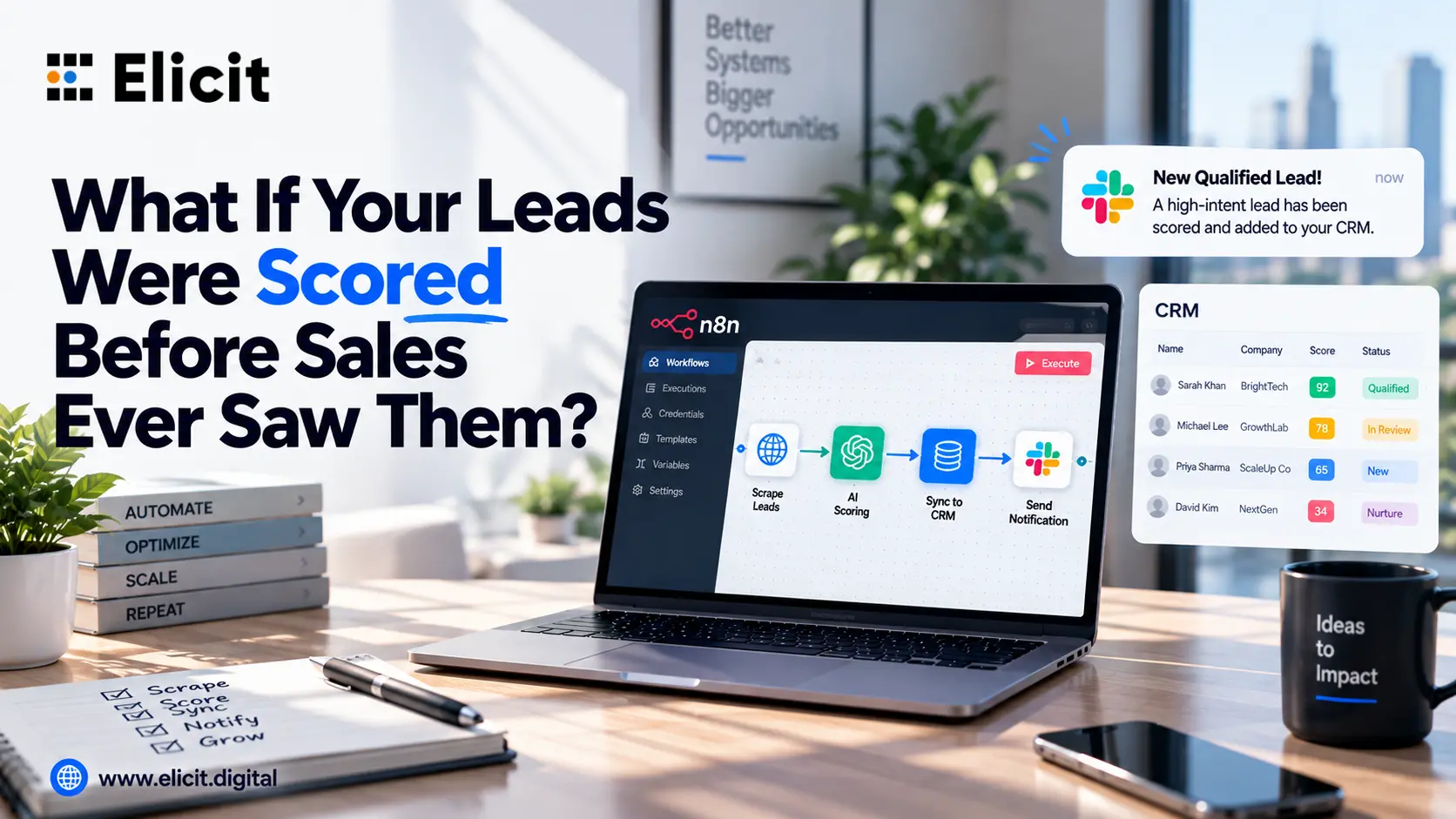
A CRM update sent a Slack notification.
A spreadsheet received new entries.
That level of automation helped businesses save time, but it also created a major limitation. Most systems operated independently. They handled isolated tasks rather than connected operations.
Today, that is changing quickly.
Businesses are no longer looking for basic automations alone. They want systems that can coordinate customer communication, internal workflows, CRM activity, reporting, notifications, scheduling, and even AI-driven decision-making in one connected process.
This is exactly why platforms like n8n are becoming more important.
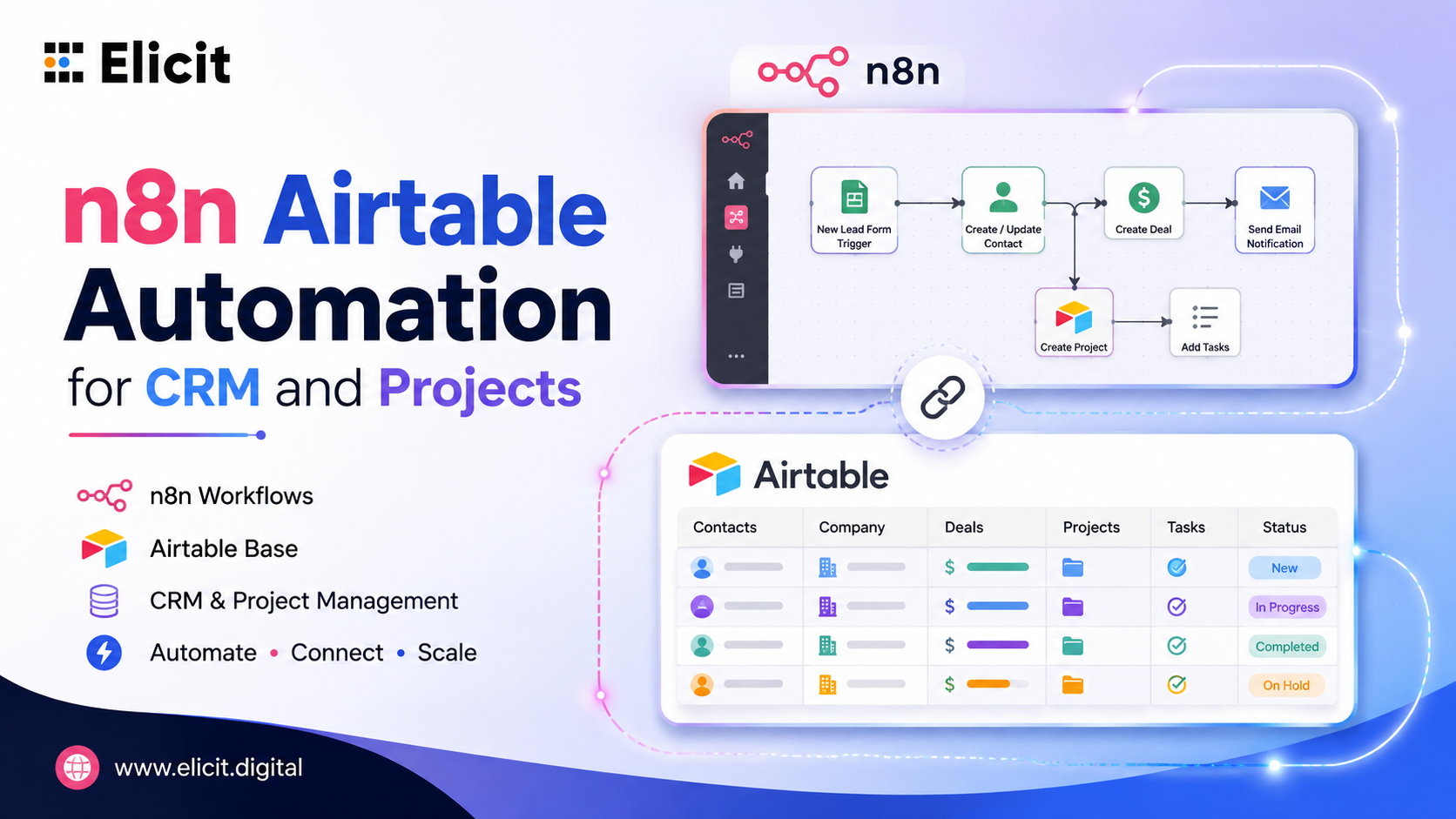
Instead of acting like another standalone automation tool, n8n allows businesses to build operational workflows that connect multiple systems in a much more flexible way.
And as AI continues evolving, that flexibility matters more than ever.
One of the biggest challenges growing businesses face is operational fragmentation.
A customer inquiry might arrive through a website chatbot, move into a CRM, trigger an internal sales notification, generate a follow-up email, and eventually require manual updates from multiple teams.
The problem is not necessarily the individual tools.
The problem is the disconnect between them.
When workflows rely too heavily on manual coordination, delays start appearing everywhere:
follow-ups happen late, notifications get missed, customer information becomes inconsistent, and operational visibility starts breaking down.
This is where advanced workflow orchestration changes the picture.
An advanced n8n workflow allows businesses to connect these moving parts into a centralized operational process rather than relying on disconnected automations scattered across different platforms.
That creates faster execution, fewer manual errors, and a much smoother customer experience.
One of the biggest shifts happening right now is the rise of AI agents inside operational workflows.
Traditional automation follows fixed instructions.
If X happens, do Y.
AI agents introduce something different.
They can interpret requests, analyze information, trigger workflows, retrieve data, and manage more dynamic operational tasks.
This is why businesses are becoming increasingly interested in Custom AI Agent systems.
Instead of using generic AI tools, companies are starting to build AI workflows designed specifically around their own operations, customer processes, and internal systems.
For example, a business may create an AI agent that can:
qualify inbound leads
schedule appointments
Update CRM records
trigger internal notifications
escalate urgent support issues
answer operational questions
generate summaries for sales teams
This moves automation beyond repetitive tasks into intelligent operational coordination.
And that shift is happening much faster than many businesses realize.
A few years ago, customer automation usually meant simple marketing workflows.
Autoresponders.
Basic email sequences.
Generic chatbot replies.
Now, businesses are building much more connected customer operations systems.
Modern Customer Automation can include:
AI-powered lead qualification
automated appointment scheduling
customer onboarding workflows
voice AI response systems
CRM routing
sales pipeline movement
follow-up recovery workflows
escalation handling
The goal is no longer just automation.
The goal is operational continuity.
Customers increasingly expect businesses to respond quickly, maintain context, and provide consistent communication across every touchpoint.
Disconnected systems make that difficult.
Connected automation infrastructure makes it possible.
One reason businesses are increasingly adopting n8n automation is flexibility.
Many automation platforms work well for simple workflows, but become restrictive when operations grow more complex.
n8n allows businesses to create workflows that are highly customizable and deeply connected across APIs, databases, CRMs, AI systems, communication tools, and internal platforms.
That flexibility becomes especially valuable when businesses start building:
AI customer response systems
advanced CRM automation
internal reporting workflows
operational approval systems
multi-platform lead routing
AI-powered scheduling systems
customer support automation
Instead of forcing operations into rigid templates, n8n gives businesses more control over how workflows are designed.
That is a major reason why adoption continues growing among companies building more advanced automation systems.
Voice AI is becoming one of the fastest-growing areas in automation infrastructure.
Businesses are increasingly experimenting with Calling AI Agent systems capable of handling inbound customer conversations automatically.
These systems can:
answer calls
collect customer information
qualify leads
schedule appointments
route inquiries
trigger CRM updates
escalate conversations when needed
But the real value appears when voice AI becomes connected to larger operational workflows.
For example:
A customer call comes in.
The AI agent qualifies the inquiry.
The CRM updates automatically.
A sales notification is triggered.
An appointment is booked.
A follow-up workflow begins immediately.
That level of connected execution creates a significantly smoother customer experience while reducing operational pressure on internal teams.
Many businesses underestimate how much operational friction impacts growth.
Simple inefficiencies add up quickly:
manual handoffs
inconsistent follow-ups
repetitive admin tasks
disconnected reporting
delayed approvals
fragmented customer communication
Over time, these small operational problems reduce speed, create internal confusion, and affect customer experience.
This is where properly designed n8n workflow automation systems create long-term value.
The biggest benefit is not simply saving time.
It is improving operational consistency.
When workflows are connected properly, businesses operate faster, respond quicker, and scale more efficiently.
One important shift happening right now is that automation is no longer viewed only as an efficiency tool.
It is becoming part of business strategy.
Businesses are starting to ask larger questions:
How quickly can we respond to customers?
How connected are our systems?
How much manual coordination still exists internally?
Where are operational bottlenecks slowing growth?
How can AI improve customer operations without increasing complexity?
This is why businesses are moving toward more advanced orchestration systems instead of isolated automations.
The future of automation is not about creating hundreds of disconnected workflows.
It is about building a connected operational infrastructure.
As automation systems become more advanced, poor architecture creates bigger risks.
Disconnected logic, unreliable API handling, weak fallback systems, or poorly planned AI workflows can quickly create operational problems.
That is why many businesses now look for teams that specialize in workflow strategy rather than simply building automations.
When businesses search for Get n8n Expert Service, they are usually not looking for a few quick workflows.
They are looking for operational systems that are scalable, reliable, and aligned with long-term business growth.
That requires strategic workflow design, AI orchestration planning, CRM integration expertise, and operational visibility across the entire customer journey.
Automation is entering a very different phase.
Businesses are no longer just automating tasks.
They are building connected operational ecosystems powered by AI, workflow orchestration, CRM infrastructure, and customer automation systems.
Platforms like n8n are becoming central to that shift because they allow businesses to connect operations in a much more flexible and scalable way.
At Elicit, we help businesses design and implement advanced automation infrastructure using n8n, AI agents, CRM workflows, and connected customer operations systems built around real business processes, not generic templates.
Whether the goal is building a Custom AI Agent, improving Customer Automation, implementing Calling AI Agent systems, or scaling operational workflows through n8n workflow automation, the focus should always be the same:
building systems that make businesses faster, more connected, and easier to scale.
Elicit can help design and implement automation systems aligned with your operational goals.

One of the most common questions businesses ask before investing in organic growth is simple:
How much should SEO actually cost?
It sounds like a straightforward question.
But in reality, SEO services pricing can vary dramatically.
One provider offers SEO for a few hundred dollars a month.
Another quotes several thousand.
A premium digital marketing agency may recommend a significantly larger monthly investment.
So what explains the difference?
The answer is not simply agency size.
It is execution depth.
Because SEO is not a product you purchase once.
It is an ongoing growth engine that requires technical optimization, strategic content marketing, authority development, local visibility improvements, and increasingly, modern AI search adaptation.
That is where many businesses get pricing conversations wrong.
They compare monthly fees without comparing what is actually included.
And when that happens, pricing becomes misleading.
A low monthly retainer may look affordable upfront, but weak execution can quietly cost far more through lost rankings, weak traffic, and delayed growth.
The smarter question is not:
"What is the cheapest SEO option?"
It is:
"What should a business realistically invest in for meaningful organic growth?"
Unlike software subscriptions, SEO does not have a standard flat price.
The cost depends on the level of work required to improve visibility in your specific market.
Several factors influence SEO services pricing.
Ranking in a low-competition local market is very different from competing nationally.
For example:
A local plumbing company targeting one city has different SEO demands than a SaaS company competing for high-value national search terms.
The more competitive the market, the greater the required investment.
Some businesses already have a healthy website foundation.
Others have major issues:
Fixing technical debt requires time and expertise.
Organic visibility depends heavily on relevance and authority.
That often requires strong content marketing execution:
A business requiring aggressive content growth will naturally spend more.
Businesses evaluating local seo services for small businesses usually require a narrower scope than larger organizations.
Local SEO may focus on:
A freelancer, boutique SEO specialist, digital marketing company, or enterprise digital marketing agency all price differently.
The provider model affects execution capacity significantly.
Businesses naturally want value.
There is nothing wrong with comparing costs.
But cheap SEO often becomes expensive in practice.
Why?
Because low-cost SEO providers frequently reduce execution quality.
Common shortcuts include:
That creates activity without measurable growth.
Real organic growth requires execution depth.
A serious digital marketing agency approaches SEO as business infrastructure, not checklist fulfillment.
Many smaller businesses search for affordable local SEO services because budget constraints are real.
Strong local seo services for small businesses should include:
Modern search visibility is changing.
Businesses increasingly ask about ai seo services.
A serious ai seo agency may include:
SEO is one growth channel.
A full digital marketing company may also provide:
This is where broader digital marketing services differ from standalone SEO execution.
If your business is evaluating SEO services pricing, agency quality, or organic growth strategy
$1,000–$3,000/month
$3,000–$8,000+/month
$5,000–$15,000+/month
SEO services pricing should not be treated like commodity shopping.
Real organic growth requires:
Businesses that win organic visibility usually are not buying the cheapest SEO.
They are investing in execution that creates measurable growth.
If your business is comparing SEO services pricing, evaluating a digital marketing company, or exploring modern digital marketing services.
Most serious SEO engagements range between $1,000 and $10,000+ monthly, depending on scope.
Yes, if they include real local optimization, not just reporting.
GBP optimization, citations, reviews, local pages, technical SEO, and tracking.
Yes. Strong AI SEO services often include AEO, GEO, entity optimization, and discoverability strategy.
That depends on whether you need SEO only or broader digital marketing services.