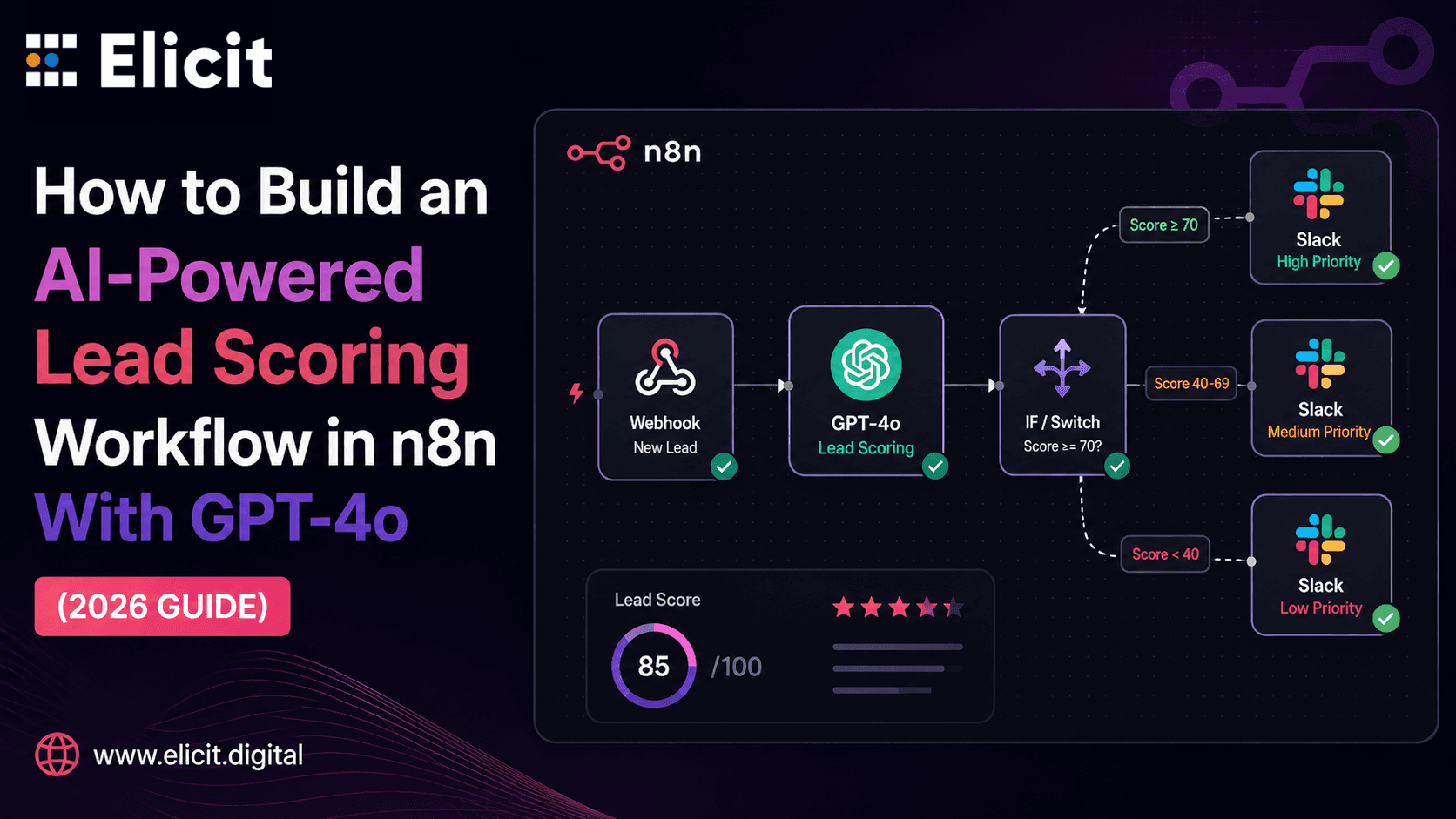
How to Build an AI-Powered Lead Scoring Workflow in n8n With GPT-4o (2026 Guide)
|
🔑 5 Key Takeaways 1. A production-ready n8n + GPT-4o lead scoring workflow reduces development time from 2 to 5 days of custom Python work to 30 to 60 minutes of visual node configuration — while delivering comparable scoring quality on complex, unstructured lead data. 2. GPT-4o-mini is the right model for most lead scoring use cases — it delivers 95% of GPT-4o quality for classification and scoring at 3% of thecost. Reserve GPT-4o for complex multi-factor reasoning only. At $0.001 per execution, GPT-4o-mini makes this workflow economically viable at any scale. 3. The scoring prompt is the most business-critical element in the entire workflow. Vague prompts produce inconsistent scores. A well-structured prompt with explicit scoring criteria, a required JSON output format, and a specific next-action field produces reliable, actionable output that your CRM and team can act on immediately. 4. Data masking before any external API call — tokenising PII fields like name and email before they reach the GPT-4o endpoint — is not optional for GDPR or SOC 2 compliant deployments. n8n Code nodes handle this natively, and the tokens are reversible after scoring is complete. 5. The workflow described in this guide is not just a lead scoring tool — it is the foundation for a Custom AI Agent that qualifies, routes, follows up, and logs every lead without human involvement. Once the core scoring node is tested, extending it to autonomous follow-up and CRM management takes hours, not weeks |
Why Manual Lead Scoring Is a 2023 Problem
There is a kind of operational inefficiency that is so embedded in how sales teams work that most people stopped questioning it: a lead comes in, someone on the team reviews it, assigns a rough priority level based on gut feel and whatever CRM fields got filled in, and then routes it. Multiply that across fifty leads per day and you have a significant portion of a team's week spent doing something an AI can do more consistently, more quickly, and more cheaply.
In 2026, building an intelligent lead scoring system no longer requires a data science team or months of custom development. n8n automation combined with GPT-4o gives you a visual, no-code-to-low-code workflow that ingests a new lead, enriches it with company data, sends it through an AI scoring model with explicit criteria, and routes the result to your CRM and Slack channel — all within seconds of form submission, at a cost of approximately $0.001 per lead at scale.
This guide walks through the complete build: the node architecture, the GPT-4o scoring prompt, the conditional routing logic, the output formatting, and the compliance and error handling that makes this production-ready rather than just a proof of concept.
If you want this built and tested rather than building it yourself, you can Get n8n Expert Service from Elicit Digital and have a production-ready AI lead scoring workflow live within 48 hours.
|
$0.001 Cost per lead scored using GPT-4o-mini in n8n — 95% of GPT-4o quality at 3% of the cost. Source: Dev|Journal, Build Production-Ready AI Pipelines with n8n and GPT-4o-mini, March 2026 |
What This Workflow Replaces and What It Delivers
Before building anything, it is worth being precise about what this workflow actually does. This is not a simple rule-based scoring system that adds points for job title and company size. That approach breaks the moment a lead comes in with an unusual title or from a niche industry your rules were not written for. Customer Automation powered by GPT-4o understands context — it reads free-text fields, infers intent from a message body, evaluates fit against your ICP description, and returns a structured assessment that goes beyond what any rule-based system can produce.
What this workflow replaces, specifically:
-
Manual SDR triage time: The average SDR spends 20 to 30% of their week qualifying inbound leads. This workflow handles that initial qualification instantly, for every lead, without anyone's time.
-
Inconsistent scoring: Human scoring varies by who reviews the lead, what time of day it is, and how many other leads are in the queue. AI scoring applies the same criteria every time.
-
Delayed follow-up: Manual review introduces hours of delay. This workflow responds in seconds, routing hot leads to sales and warm leads to nurture sequences while the prospect is still in the consideration window.
-
CRM data quality: The workflow enriches raw lead data with company size, industry, and intent signals before it ever reaches your CRM — giving your team richer context without any manual research.
The Complete Workflow Architecture
Here is the full node path from lead entry to scored output:
|
01 |
02 |
03 |
04 |
05 |
06 |
07 |
|
Webhook Trigger Form submit fires workflow |
HTTP Request Clearbit / Apollo enrichment |
Code Node Mask PII for compliance |
OpenAI Node GPT-4o scores lead 0–100 |
Code Node Parse JSON + unmask PII |
If / Switch Route: Hot / Warm / Cold |
CRM + Slack Log result + notify rep |
Each node has a specific job. Understanding why each one exists — and what breaks if you skip it — is what separates a production workflow from a prototype that works on demo data and fails on real leads.
Step-by-Step: Building the Workflow
|
01 |
Webhook Trigger — Capturing the Lead |
|
|
In n8n, open Automation > Workflows > New Workflow. Add your first node: Trigger > Webhook. Copy the Webhook URL and paste it into your form builder (Typeform, Webflow, or any other form tool) as the response destination. Every new form submission will now fire this n8n workflow automation pipeline automatically. The Webhook node captures the raw lead payload — typically first name, last name, email, phone, company name, job title, and any free-text message field from the form. Make a note of the exact field names because you will reference them in every downstream node. Run a test submission to confirm the Webhook fires and the data arrives correctly before adding any additional nodes. 💡 Pro tip: Add an Error Trigger workflow to this workflow immediately — before any other node. Configure it to send you a Slack or email alert if anything fails. Silent workflow failures in production cost real leads. Build the error handler first, then the logic. |
|
02 |
HTTP Request Node — Enriching the Lead Before Scoring |
|
|
Raw form data — name, email, company name — is rarely enough for meaningful AI scoring. Before sending anything to GPT-4o, enrich the lead with the context that actually determines fit: company size, industry, annual revenue, and LinkedIn presence. Add an HTTP Request node pointing to Clearbit's Person and Company API, Apollo.io's Enrichment API, or Hunter.io depending on your data budget. Pass the email address and company name from the Webhook node as query parameters. The API returns job title verification, company employee count, industry classification, and in some cases intent signals like recent funding rounds or hiring activity. Map the returned fields to new output variables: • {{contact.company_size}} — employee count from enrichment • {{contact.industry}} — verified industry classification • {{contact.seniority}} — job level (C-Suite, Director, Manager) • {{contact.linkedin_url}} — for sales rep reference Add an error handler after this node specifically: if Clearbit returns a 404 (company not found), the workflow should continue with unenriched data rather than fail. A resilient workflow handles API edge cases gracefully and never drops a lead because an enrichment API could not find a record. 💡 Pro tip: Poll enrichment APIs at reasonable intervals. Do not trigger them more frequently than necessary — Clearbit and Apollo both rate-limit aggressively. For high-volume workflows, consider batching enrichment calls rather than running one per lead in real time. |
|
03 |
Code Node — Masking PII Before the AI Call (GDPR / SOC 2) |
|
|
This is the step that separates a production workflow from a prototype. Sending personal data — name, email, phone number — directly to the OpenAI API creates a data processing relationship that may not be permitted under your GDPR, SOC 2, or industry compliance requirements. The solution is PII tokenisation: replacing identifying fields with reversible tokens before any external call. This is what makes this an advanced n8n workflow — the security layer is built directly into the execution path. Add a JavaScript Code node and implement field-level masking: The Code node replaces sensitive fields with tokens (e.g., name becomes 'PERSON_1', email becomes 'EMAIL_1'). The GPT-4o node receives company, industry, job function, and message content — enough for accurate scoring — without any personally identifying information. After scoring, a second Code node swaps the tokens back before anything is written to your CRM. Sensitive data never enters OpenAI's logs. 💡 Pro tip: Document exactly which fields are masked in a workflow sticky note. When this workflow is audited by compliance, that documentation saves hours of back-and-forth. n8n's sticky notes are built specifically for this kind of inline documentation. |
|
04 |
OpenAI Node — The GPT-4o Scoring Prompt |
|
|
This is the most business-critical node in the workflow. The quality of your AI scoring output is entirely determined by the quality of your system prompt. Add an OpenAI Chat Model node. Select model: gpt-4o-mini for standard scoring (recommended), or gpt-4o for complex multi-factor analysis. Here is the scoring prompt structure that consistently produces actionable output: System prompt: 'You are a B2B lead qualification specialist. Score this lead 0–100 based on fit for [Your Service Description] and return a structured assessment in the exact JSON format specified.' User prompt (using n8n variables): Company: {{$json.company}} Industry: {{$json.industry}} Role/Seniority: {{$json.seniority}} Company Size: {{$json.company_size}} Lead Source: {{$json.source}} Message: {{$json.message}} Required JSON output: {"score": [0-100], "grade": ["A","B","C","D","F"], "reasons": ["reason1", "reason2"], "next_action": "...", "email_draft": "..."} This is your Custom AI Agent in practice — it not only scores the lead but recommends a specific next action and drafts a personalised outreach email in the same execution. In the OpenAI node, click Output Parser > Structured Output Parser > Define using JSON Schema and paste the schema. This forces GPT-4o to always return parseable JSON rather than a conversational response, which is what makes the downstream routing nodes work reliably. 💡 Pro tip: Always use n8n variables in your prompt rather than hardcoded text. This is what allows one workflow to handle multiple lead sources, industries, and scoring contexts without duplicating workflows. Dynamic prompts are the difference between a single-use build and a scalable system. |
|
05 |
If / Switch Node — Conditional Routing by Score |
|
|
Once GPT-4o returns a structured JSON score, the If node reads the score field and routes the lead to the appropriate downstream action: Score 70–100 (Hot lead / Grade A–B): → Immediate Slack notification to sales rep with full context → CRM: Create contact, set pipeline stage to 'High Priority', assign to rep → Trigger: Instant follow-up sequence in GoHighLevel or your CRM Score 40–69 (Warm lead / Grade C): → CRM: Create contact, set pipeline stage to 'Nurture' → Enrol in email nurture sequence → Internal task: 'Review in 7 days' Score 0–39 (Cold lead / Grade D–F): → Log to Google Sheets or CRM with 'Cold' tag → Enrol in long-term re-engagement drip (quarterly touchpoints) → No immediate sales alert — protect your team's attention for high-value leads Use n8n's Switch node (not If) when you have three or more routing paths. Switch nodes are cleaner than nested If/Else chains and easier to maintain as your routing logic evolves. 💡 Pro tip: Do not hard-code the score thresholds. Store them in n8n's global variables so you can adjust from 70 to 65 for 'Hot' or from 40 to 50 for 'Warm' without editing the workflow. Scoring threshold calibration happens in the first weeks of running — make it easy to adjust. |
|
06 |
Output Nodes — CRM Write, Slack Notification, Google Sheets Log |
|
|
The final layer connects the scored, enriched, unmasked lead data to your destination systems. Configure three parallel output paths: CRM node (HubSpot, Pipedrive, GoHighLevel, Salesforce): Create contact with all enriched fields plus the AI score, grade, and reasons as custom fields. Set pipeline stage based on the routing branch. Assign to appropriate owner. Slack node: For hot leads only (Score 70+), send a formatted Slack message to the sales channel: lead name (unmasked), company, score, grade, reasons, recommended next action, and the GPT-4o-drafted email. Reps get everything they need to make first contact in one message, without opening the CRM. Google Sheets log: Log every lead regardless of score — raw data, enriched data, AI score, routing decision, and timestamp. This is your audit trail for compliance, your training data for prompt refinement, and your reporting source for conversion analysis. At the end of the first month, you can review which scores actually converted and calibrate your thresholds accordingly. 💡 Pro tip: Schedule a monthly 'calibration' review: compare AI scores from month one against actual conversion outcomes. If leads scoring 65 are converting at the same rate as leads scoring 80, lower your 'Hot' threshold. Prompt refinement based on real conversion data is what turns a good scoring workflow into a great one. |
Extending to a Calling AI Agent and Full Autonomous Pipeline
The 6-step workflow above scores and routes leads intelligently. But in 2026, the logical extension is a fully autonomous pipeline that does not just score and notify — it acts. Adding a Calling AI Agent layer via Vapi, Bland.ai, or Twilio Voice to this workflow creates a system where high-scoring leads receive an immediate AI voice call within minutes of form submission, qualify through a conversation, and book appointments directly into your calendar — before a human has seen the lead.
The node path extension: After the 'Hot lead' routing branch, add an HTTP Request node calling your AI voice platform's API. Pass the lead's phone number, the GPT-4o-generated context (company, score, key reasons), and a call script template. The Automation layer handles the call, captures the transcript, and posts the outcome back to n8n via a Webhook for CRM logging. The entire process — from form submission to booked appointment — can complete in under five minutes without any human involvement.
|
📊 Performance data from documented n8n AI pipeline deployments: 34% reply rate on AI-personalised follow-up sequences versus 8% with generic templates. 67% reduction in escalated support tickets. 78% reduction in moderation workload in content classification workflows. Lead scoring workflows at scale cost approximately $0.001 per execution using GPT-4o-mini. Source: DEV Community, n8n AI Workflow Automation Guide, March 2026. |
AEO, GEO & AIO: The Search Strategy That Fills Your n8n Pipeline
Building powerful n8n automation workflows is one dimension of growth. Getting discovered for that expertise — in Google AI Overviews, in ChatGPT recommendations, in the AI search channels where developers and agency owners research automation tools — is what drives inbound leads for your n8n services.
|
AEO — Answer Engine Optimisation |
GEO — Generative Engine Optimisation |
AIO — AI Integration as Your Core Product |
|
Win n8n + GPT-4o query surfaces Structure your service pages and blog content to directly answer specific developer and agency questions: 'how do I score leads with GPT-4o in n8n?', 'what is the best n8n lead qualification workflow?', 'how much does n8n AI scoring cost per lead?'. Add FAQPage schema. Pages with structured direct answers are cited in Google AI Overviews — generating qualified developer traffic at zero cost per click. |
Get cited when ChatGPT explains n8n automation When a developer or agency owner asks ChatGPT 'how do I build an AI lead scoring system without a data science team?', AI tools cite brands from authoritative, technically detailed content. Publishing step-by-step guides with specific node paths, prompt templates, and documented performance metrics makes Elicit Digital the source AI tools reference for n8n automation expertise. |
n8n + GPT-4o is the AIO service offering AIO for your agency means offering AI-augmented automation as a service line — not just connecting tools but building workflows where AI makes decisions, drafts communications, qualifies leads, and routes outcomes. The workflow in this guide is a billable deliverable that agencies charge $2,000 to $8,000 to build and deploy for clients. AIO is the revenue model, not just a technical capability. |
Frequently Asked Questions
Q: Should I use GPT-4o or GPT-4o-mini for n8n lead scoring?
For most lead scoring use cases, GPT-4o-mini is the right choice. It delivers 95% of GPT-4o's quality for classification, extraction, and structured scoring tasks at approximately 3% of the cost — around $0.001 per execution at typical lead volumes. Reserve GPT-4o for complex multi-factor scoring where the lead data includes extensive unstructured text (long message bodies, LinkedIn bios, company descriptions) and where the cost difference is justified by the decision stakes. As a rule: use GPT-4o-mini for scoring, use GPT-4o for complex reasoning.
Q: How long does it take to build an n8n AI lead scoring workflow?
Building the core workflow — Webhook trigger, enrichment call, PII masking, GPT-4o scoring, conditional routing, and CRM/Slack output — takes 30 to 60 minutes for an experienced n8n user following this guide. Testing with 10 to 20 real lead samples, calibrating the scoring thresholds, and validating the JSON output parsing takes another 1 to 2 hours. A production-ready deployment with error handling, monitoring, and full compliance review typically takes 4 to 8 hours. Elicit Digital's n8n expert service delivers a fully tested, production-ready AI lead scoring workflow within 48 hours.
Q: Can this workflow handle leads from multiple sources?
Yes. Use n8n variables and expressions in your scoring prompt rather than hardcoded text — this is what makes one workflow handle leads from Facebook Ads, Google Ads, organic form fills, and LinkedIn simultaneously. Each source passes different fields, but the prompt template adapts dynamically based on what data is available. For significantly different lead sources with different qualification criteria (B2B SaaS leads vs local service enquiries, for example), build separate scoring prompts stored in a central Airtable or Google Sheets, and pull the relevant prompt into the workflow at runtime based on a source tag.
Q: Is this workflow GDPR-compliant?
The workflow described in this guide includes PII tokenisation before any data reaches the OpenAI API — replacing personally identifiable fields with reversible tokens in a Code node before the GPT-4o call, and unmasking them after scoring is complete. This means personal data does not enter OpenAI's processing environment, which is a key requirement for GDPR-compliant AI processing under Article 25 (data protection by design). For full compliance, also review your Data Processing Agreement with OpenAI, your lawful basis for processing the lead's data, and your retention policies for the Google Sheets log. For HIPAA environments, consult a qualified n8n expert before deploying any workflow that processes protected health information.
Q: What CRMs does this n8n workflow integrate with?
n8n has native nodes for HubSpot, Pipedrive, Salesforce, GoHighLevel, Zoho, Freshsales, Airtable, and Monday.com — all of which can receive the scored lead output from this workflow. For CRMs without a native n8n node, the HTTP Request node connects to any CRM with a REST API. The workflow in this guide is CRM-agnostic by design: the scoring and routing logic is the same regardless of destination. Switching from HubSpot to Pipedrive, for example, requires changing only the CRM output node — not the scoring prompt, enrichment logic, or routing conditions.
Your Sales Team Should Only See Leads That Have Already Been Qualified
The workflow in this guide does something that was genuinely difficult to build two years ago and is now achievable in an afternoon: it applies GPT-4o's contextual reasoning to every inbound lead, at sub-cent cost, with full compliance controls and actionable structured output. Your sales team stops seeing raw form submissions. They see scored, enriched, graded leads with a recommended next action and a draft email — ready to act on immediately.
At scale, n8n workflow automation running this kind of intelligent pipeline changes the economics of lead management. The cost of scoring 10,000 leads with GPT-4o-mini is roughly $10. The value of your sales team's time spent on manual qualification is orders of magnitude higher. That is the return on investment of AI-augmented automation done properly.
Elicit Digital provides n8n expert service for agencies and businesses building AI-native automation systems. If you want this workflow built, tested, deployed, and production-ready without the configuration overhead, Get n8n Expert Service from our team — and have a working AI lead scoring system live within 48 hours.
|
Contact Us Now Ready to build your AI lead scoring workflow in n8n? Our n8n experts design, build, and deploy production-ready automation systems for agencies and businesses worldwide. 📞 Phone: +91 9111555876 ✉ Email: sales@elicit.digital 🌐 Website: www.elicit.digital/n8n |
|
Get Your AI Lead Scoring Workflow Built by n8n Experts Elicit Digital's n8n automation team builds production-ready AI lead scoring systems — from Webhook trigger and data enrichment to GPT-4o scoring, conditional routing, CRM integration, Slack notifications, and full error handling. Self-hosted or n8n Cloud. Live within 48 hours. |