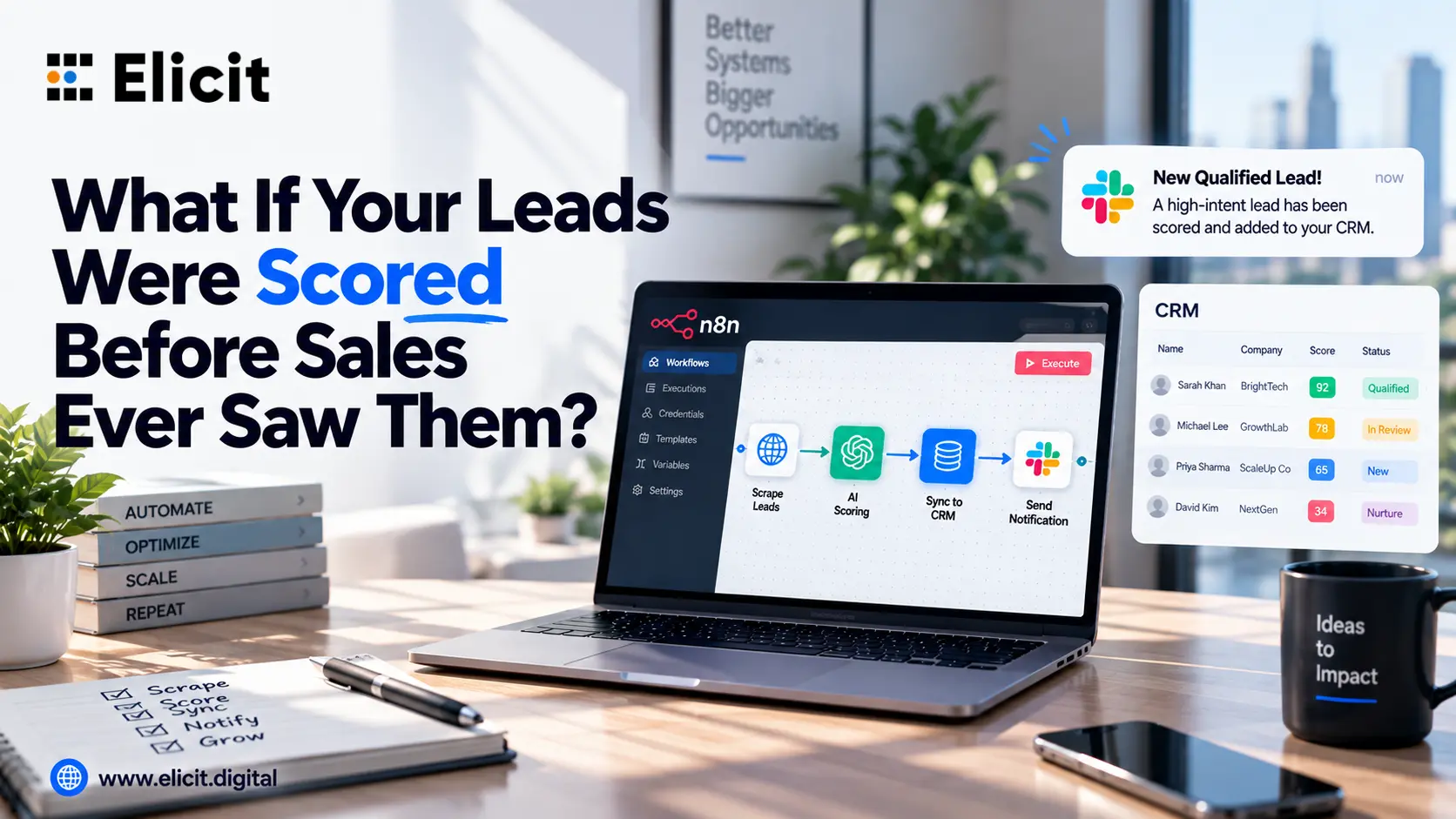
n8n Lead Generation - Scrape, Score and Notify
|
Key Takeaways • A single advanced n8n workflow can scrape lead data, score it with AI, sync it to your CRM, and alert your sales team, with no manual handoffs between steps. • AI scoring nodes cut the time reps spend qualifying leads by acting on intent signals the moment a lead arrives, not hours or days later. • Error handling and logging matter more than the happy path. A workflow that silently drops a lead is worse than no automation at all. • Businesses using n8n workflow automation to connect scraping, scoring, and CRM tools typically see faster follow up and fewer leads falling through the cracks. • You can build this yourself, or bring in an n8n expert to get it production ready in days instead of weeks through an n8n expert service. |
Why Lead Generation Keeps Breaking Down Without Automation
Most sales teams don't really have a lead generation problem. They have a lead handling problem. Leads come in from a form, a scraper, an ad campaign, or a cold list, and then someone has to manually check them, decide if they're worth chasing, copy them into a CRM, and remember to tell the right person. By the time that happens, the lead has usually cooled off, or a competitor has already called.
Before getting into the build, it's worth naming why this keeps happening across so many teams:
• Leads sit in a queue. A form submission lands in an inbox or spreadsheet and waits for someone to notice it.
• Scoring is inconsistent. One rep marks a lead hot, another marks a nearly identical lead cold, because there's no shared standard.
• CRM entry is manual and gets skipped. When people are busy, data entry is the first thing to slide.
• Sales finds out too late. By the time a Slack message or email goes out, the lead has already moved on.
None of these are people problems. They're workflow problems, and workflow problems are exactly what n8n automation is built to solve.
Where n8n Fits Into the Bigger Automation Picture
There's a reason so many teams are searching for an AI automation agency right now instead of piecing together five separate tools. The market has shifted from automation tools for work being a nice to have to being the baseline expectation. Businesses evaluating AI tools for business today aren't just asking whether something can connect to their CRM; they're asking whether it can score and route data the way a person would, without needing a person to babysit it.
That is also why professional services automation software and platforms like n8n have converged. n8n isn't only a connector tool anymore. With AI nodes built in, an advanced n8n workflow functions as a lightweight decision engine that happens to also move your data around.
Building the Workflow: Scrape, Score & Notify
Here is the actual shape of the workflow, broken into the four stages that matter.
Step 1: Capture and Scrape the Lead Data
The trigger can be a webhook from a web form, a scheduled scrape of a directory or job board, or an API pull from an ad platform. n8n's HTTP Request node and its prebuilt integrations handle most of this without custom code. You are pulling name, company, email, source, and any raw text, such as a message or project brief, into a single structured record.
This is where a well thought out n8n workflow architecture starts to matter. If the scraping step isn't consistent about the fields it produces, everything downstream, scoring, CRM mapping, notifications, breaks in small, annoying ways that are hard to trace later.
Step 2: Score the Lead With AI
This is the step that turns a data pipe into an actual lead generation system. Instead of a rep reading a message and guessing at intent, an AI node reads the lead's details against criteria you define, budget signals, urgency language, company size, and returns a structured score, usually 1 to 10, plus a short reason.
This is also where a Custom AI Agent earns its place, rather than a single one-off prompt. A proper agent step can hold context across multiple lead touches, check enrichment data before scoring, and flag when a lead doesn't fit your criteria instead of forcing a number onto it. Multi-step AI agents like this are becoming standard for teams that want scoring to hold up under scrutiny, not just look good in a demo.
Step 3: Sync to CRM and Route by Score
Once a lead has a score, n8n branches the workflow. High score leads sync immediately into your CRM as a new contact or update an existing record, standard CRM integration territory, whether you're on HubSpot, Salesforce, or something else. Lower score leads still get logged, usually to a Google Sheet or a nurture table, so nothing disappears; they just don't interrupt a rep's day.
Good data connectivity here means field mapping is done once and maintained, not rebuilt every time a form changes. It's a small detail that decides whether the automation still works six months from now.
Step 4: Notify the Right People
Qualified leads trigger a Slack, Teams, or email alert with the lead's details and score attached, sent to whoever owns that pipeline. This is the piece that actually changes sales behaviour: reps aren't checking a dashboard, the lead reaches them the moment it's worth their time.
Why This Beats Manual Lead Handling
The value isn't really that it's faster, although it is. It's that the process becomes consistent. Every lead gets scored against the same criteria, every qualified lead reaches the CRM the same way, every alert looks the same in Slack. That consistency is what actually improves close rates over time, because sales leadership can trust the data enough to act on it without double checking it first.
Advanced Enhancements Worth Adding
Once the base workflow is stable, there's a reasonable next stage most teams reach for:
Calling AI Agent Automation routing hot leads straight into an AI powered outbound call that follows up within minutes of the score being generated, rather than waiting for a human to place the call.
• Error logging and monitoring, a dedicated branch that catches API timeouts, malformed data, or missing fields and routes them to an alert channel instead of letting the lead vanish silently.
• n8n workflow templates for repeat use across campaigns, so a new lead source can be plugged in without rebuilding the scoring logic from scratch.
• Reporting and analytics automation, a scheduled job that pulls weekly lead volume, score distribution, and conversion data into a dashboard automatically.
Put together, this is what most people mean when they talk about an advanced n8n workflow: not a single automation, but a connected system with monitoring, fallback logic, and a clear owner for every branch.
Self Hosted or Cloud? A Quick Note
n8n gives you a real choice here. Self hosted automation, usually run through a Docker deployment, gives you full control over data residency and API costs, which matters if you're processing sensitive lead data or scaling volume. n8n's cloud offering is faster to get running if you don't want to manage infrastructure. Neither is objectively better; it depends on whether your team wants to own the server or not.
Should You Build This Yourself, or Bring in Help?
If you're comfortable with n8n's node logic, JSON structures, and basic API auth, you can build a working version of this in a few days. Where teams usually get stuck is the parts that don't show up in tutorials: handling malformed webhook payloads, rate limits on the AI scoring calls, and making sure a failed step doesn't quietly kill the whole run.
That's usually the point where it makes sense to bring in an n8n expert rather than keep debugging alone. An experienced hire, or an agency that does this daily, will already have solved the edge cases you're about to hit. Elicit Digital works this way across a range of clients: as a mobile app development company that also builds and maintains n8n automation, the same team that ships app development software for a client can wire up the automation running behind it, so the workflow and the product it feeds aren't built by two disconnected teams.
For teams that want the managed route, an n8n expert service can design the initial architecture, implement the first workflow, and hand over a documented system your internal team can extend. The same partner can later add Customer Automation patterns such as onboarding sequences or renewal reminders, without rebuilding from scratch.
Frequently Asked Questions
What is n8n automation?
It's a way of connecting apps, APIs, and AI models through a visual, node based builder so tasks that used to require manual steps, like moving a lead from a form into a CRM, happen automatically.
Does n8n support no code workflows?
Yes. Most connections are drag and drop through prebuilt integrations, though you can add custom code or HTTP requests wherever the no code option isn't enough.
Can n8n integrate with all my tools?
n8n has a large library of prebuilt integrations, and anything without a native node can usually still connect through its HTTP Request node, covering most CRMs, spreadsheets, and messaging apps.
Is n8n self hosting supported?
Yes. You can self host it through Docker, or just run it on n8n's cloud plans if you'd rather not manage a server.
Will Elicit keep supporting the n8n setup after it's built?
Yes. Once it's live, we keep an eye on it, fix things when they break, and update it as your lead sources or CRM change.
Can Elicit build other n8n workflows too, not just for lead generation?
Yes, onboarding sequences, support ticket routing, ecommerce order flows, reporting pipelines, that kind of thing.
Ready to Put This to Work?
If your team is still manually chasing, scoring, and logging leads, that gap is costing you deals every week it stays open. The team at Elicit Digital designs, builds, and hands over production ready automation stacks, so nothing depends on someone remembering to check a spreadsheet.
Explore n8n workflow automation options built around your CRM, your lead sources, and your sales process, not a generic template.
Elicit Digital: AI first solutions that drive efficiency and growth.